Step 4: Generating API Keys
API keys are required to access any APIs offered by FastGST.
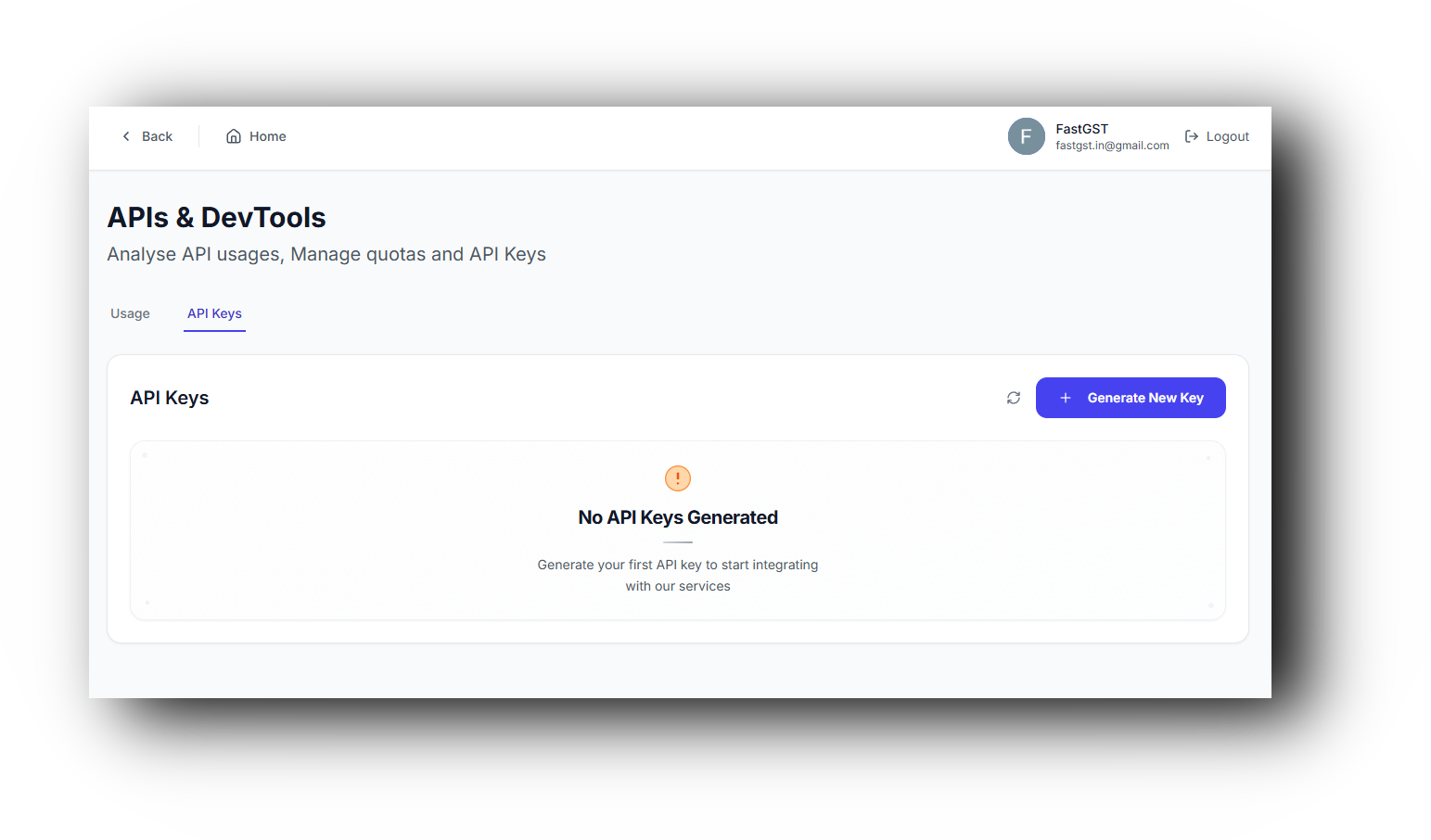
Goto API Keys Section
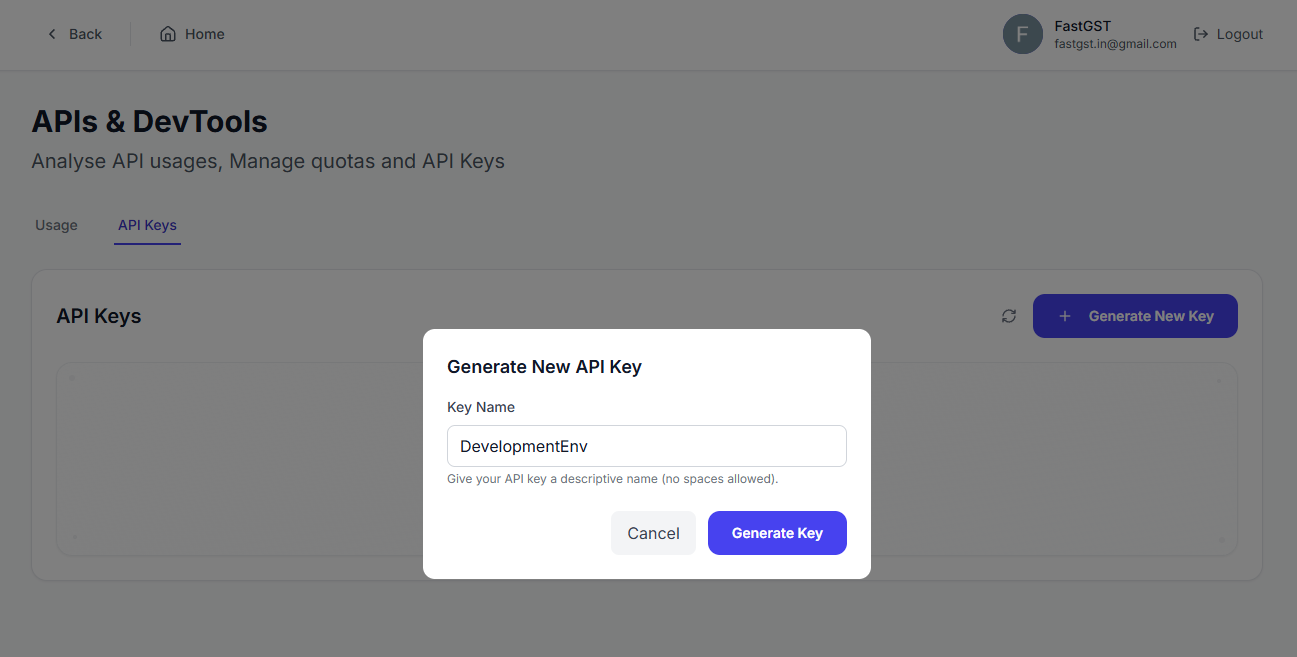
Go to the API Keys section and click on “Generate New Key.”
Note
It is recommended to use environment-specific names for API keys, such as “Production,” “Staging,” or “Development.”
Warning
An API key can be viewed only once when it is generated. Make sure to securely store the API key immediately after generation.
Pass API Key in Headers
Include the generated API key in every request by adding it to the request headers with the key X-API-Key. Avoid sending the key in query parameters to keep it secure.
Access Tax Lookup API
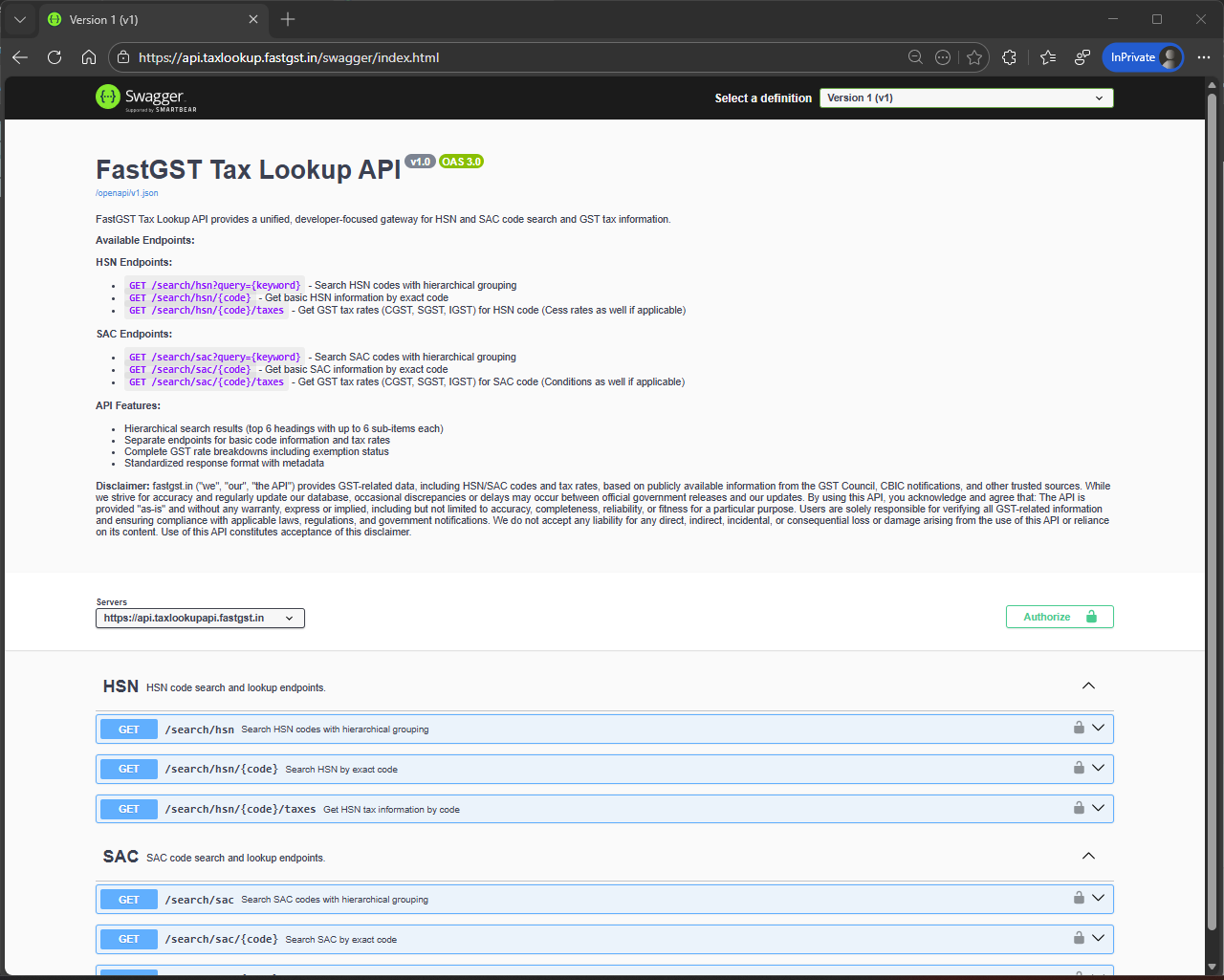
Access the Tax Lookup API Swagger UI to test the API using your generated API key.